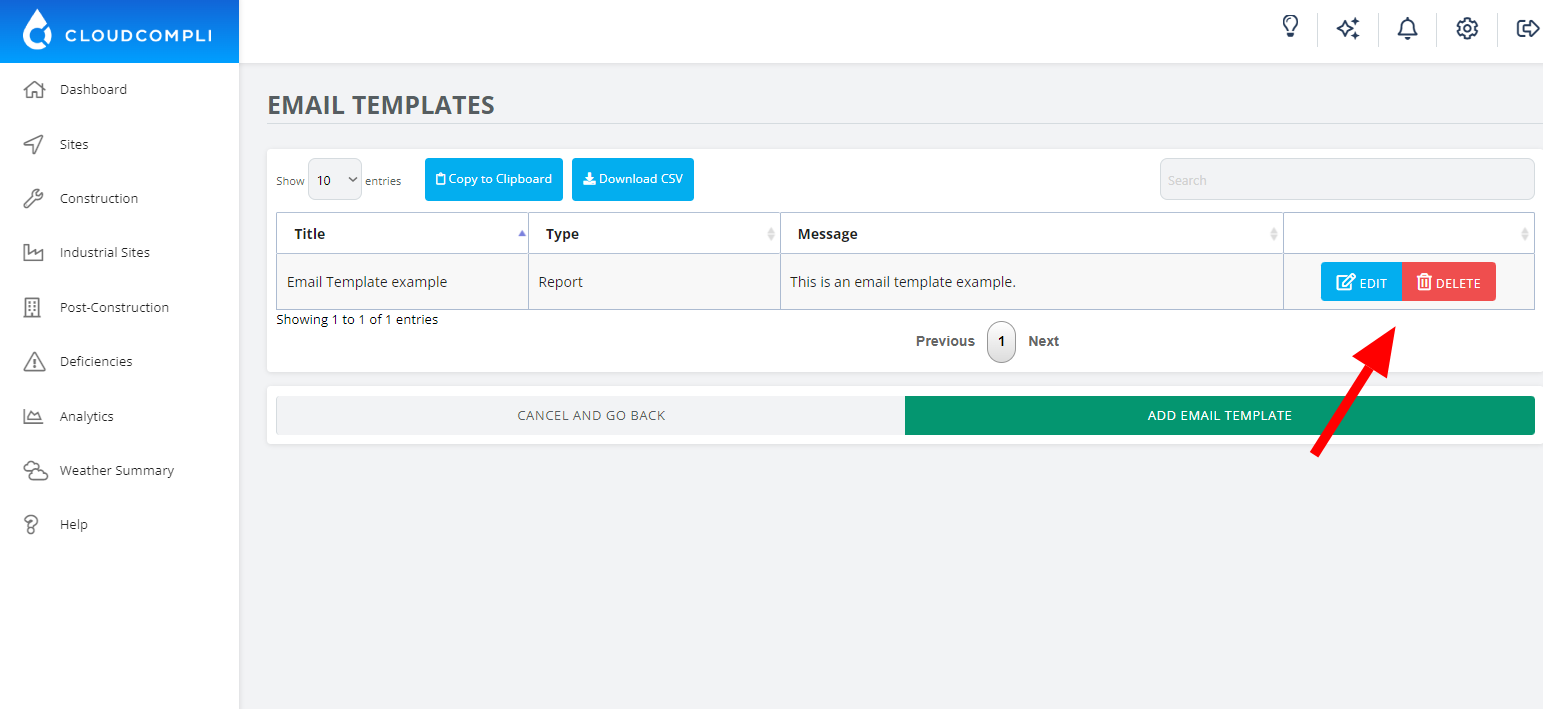
Email templates are messages that you can add when you are sending a report, QR code and/or deficiencies.
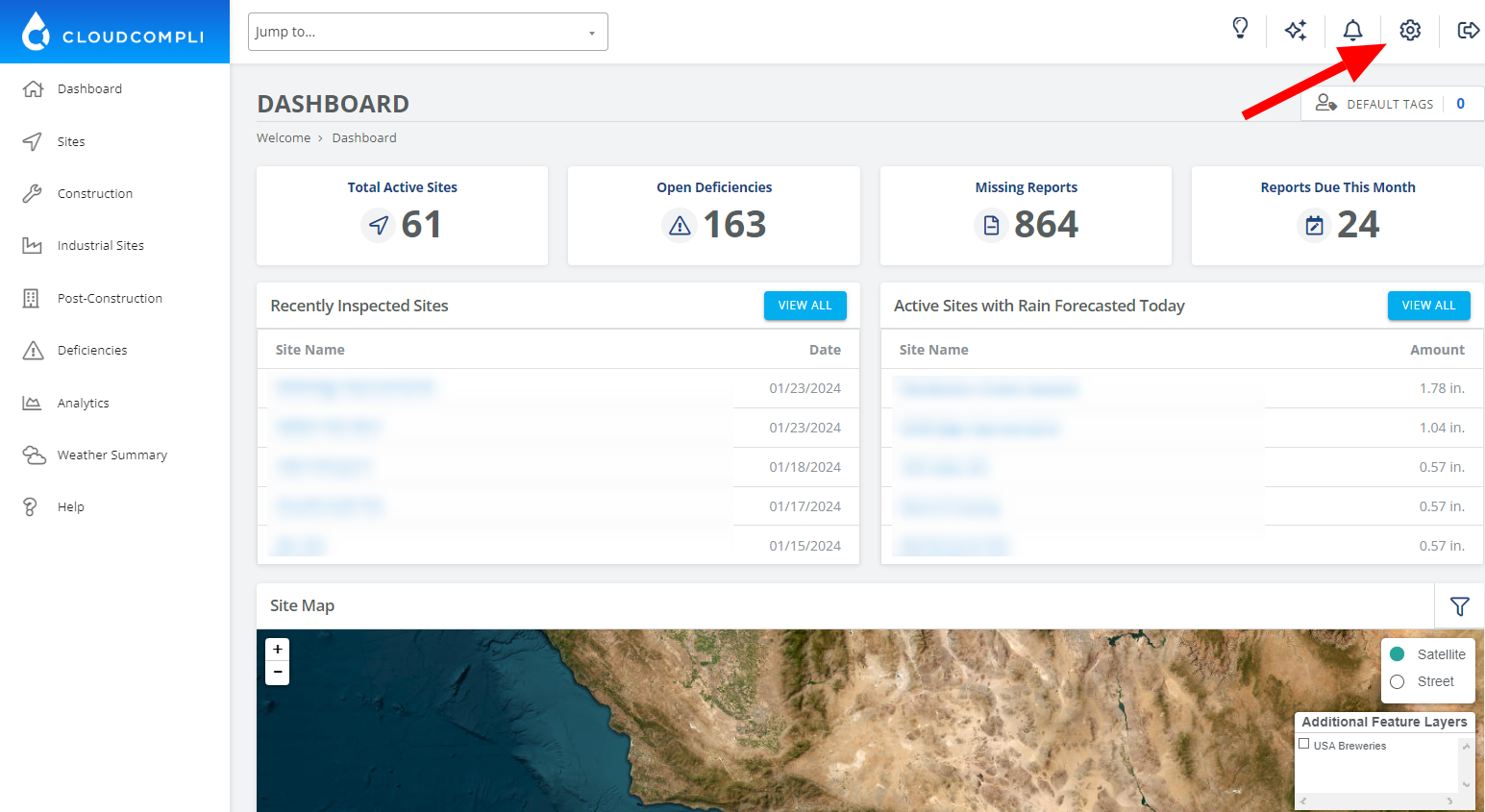
1. From your dashboard, click on the settings icon.
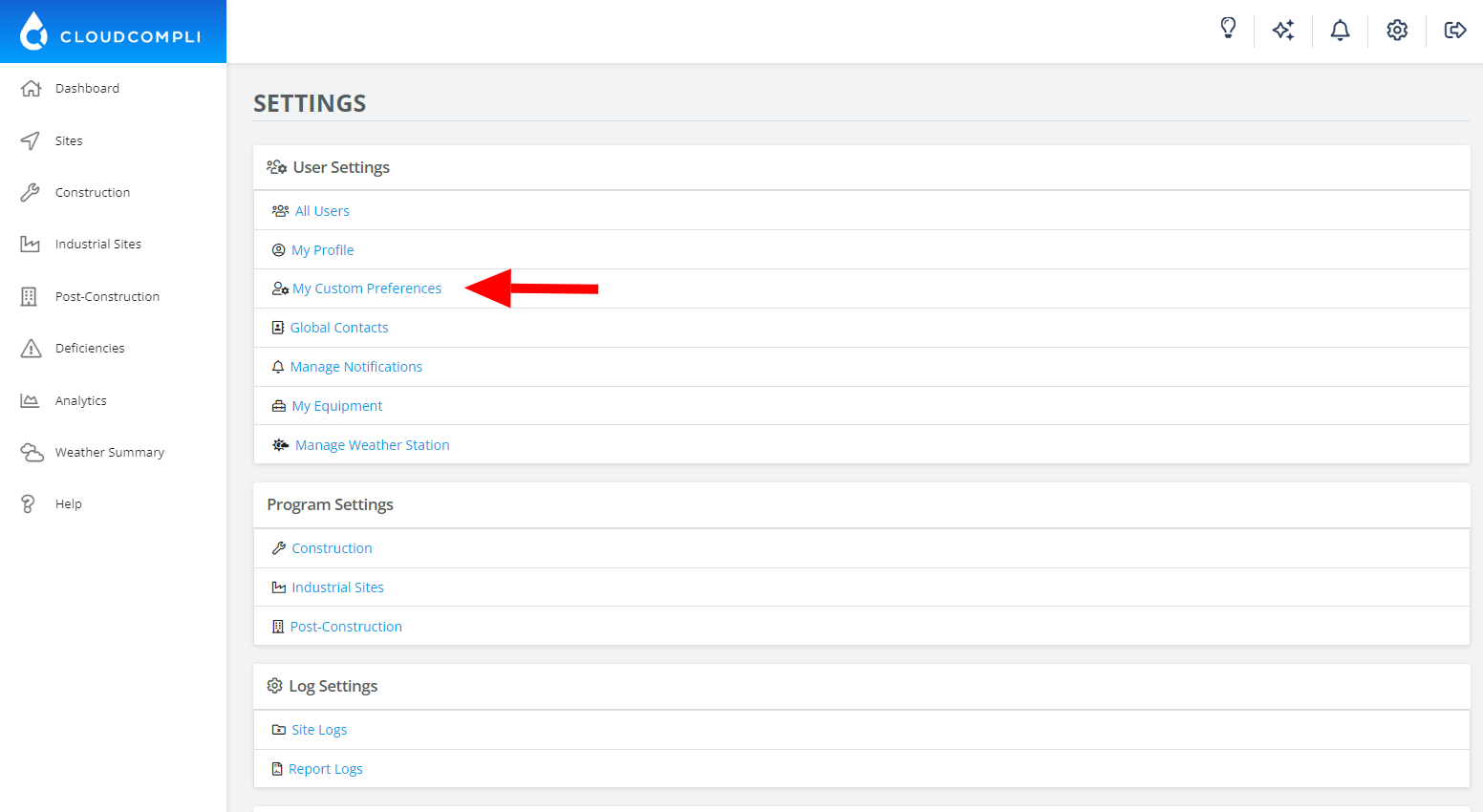
2. Go to "My Custom Preferences."
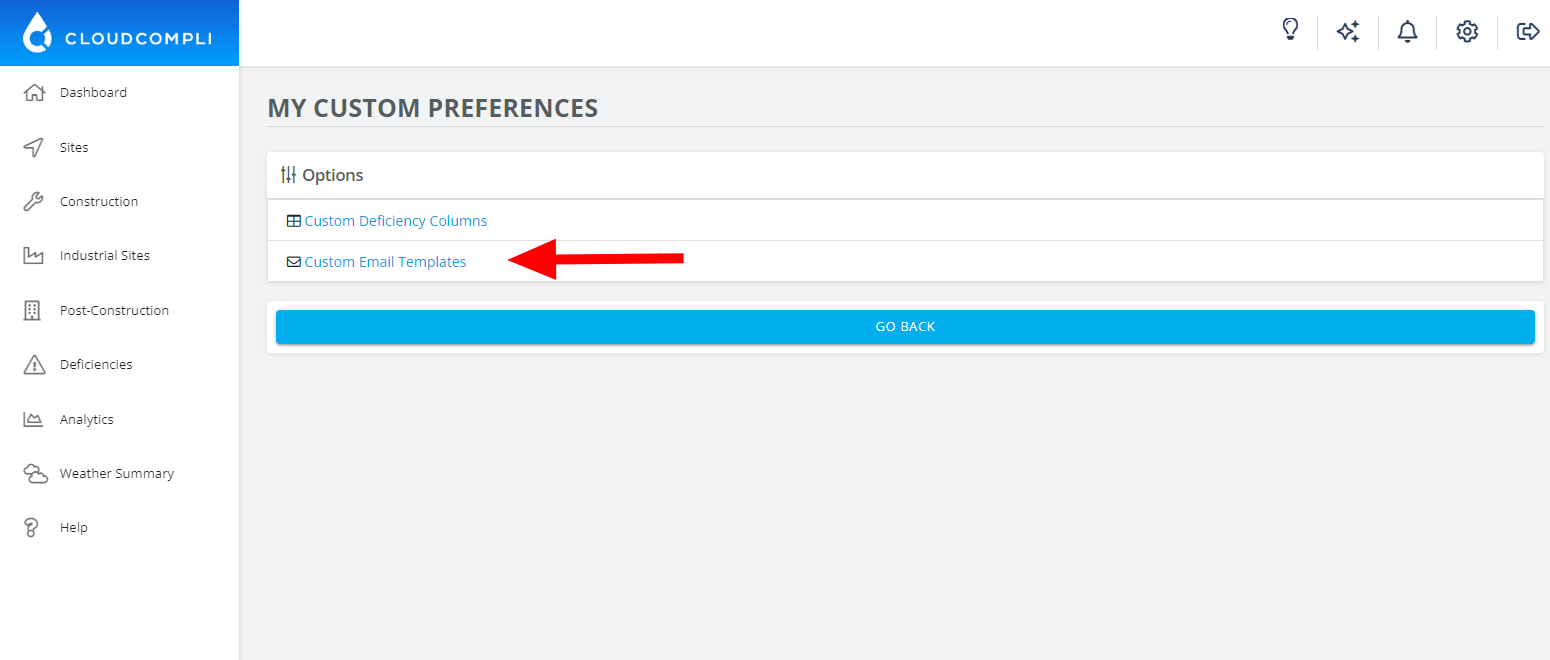
3. Click on "Custom Email Templates."
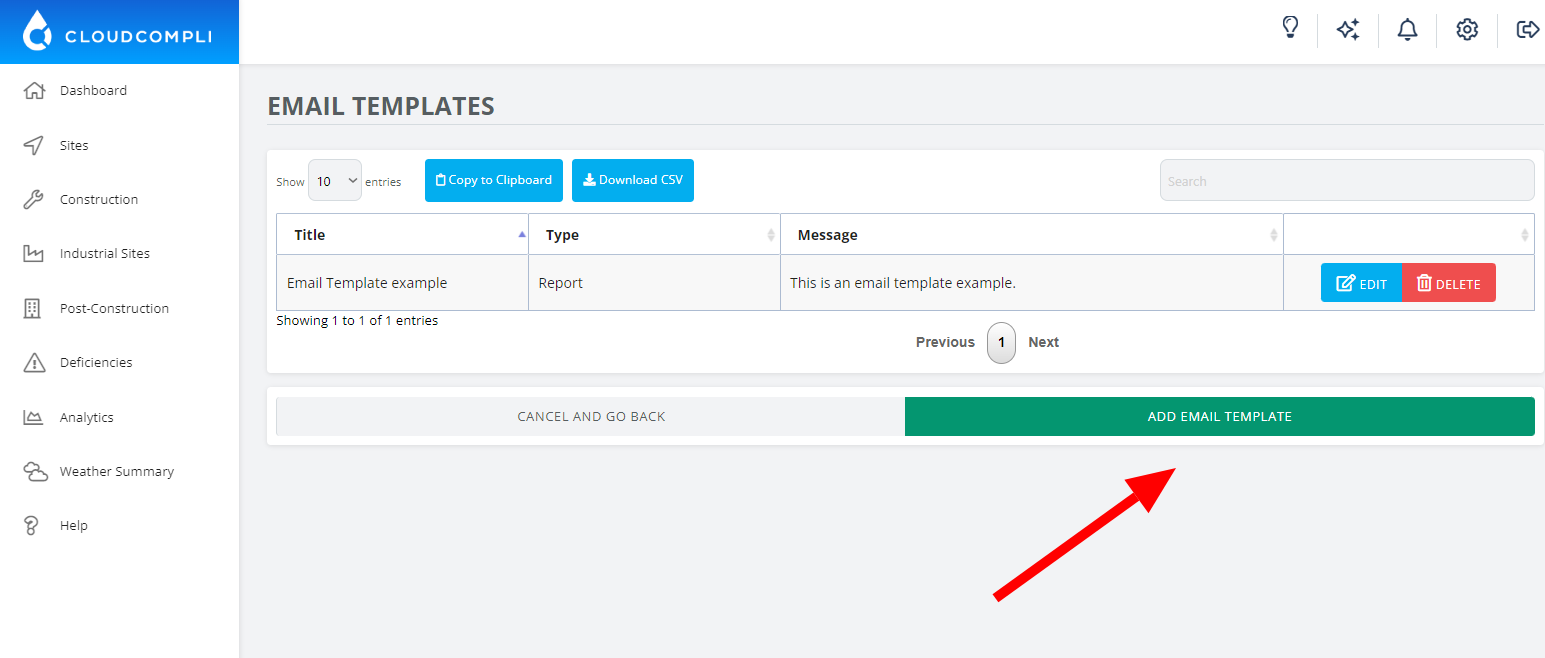
4. Click on "Add Email Template."
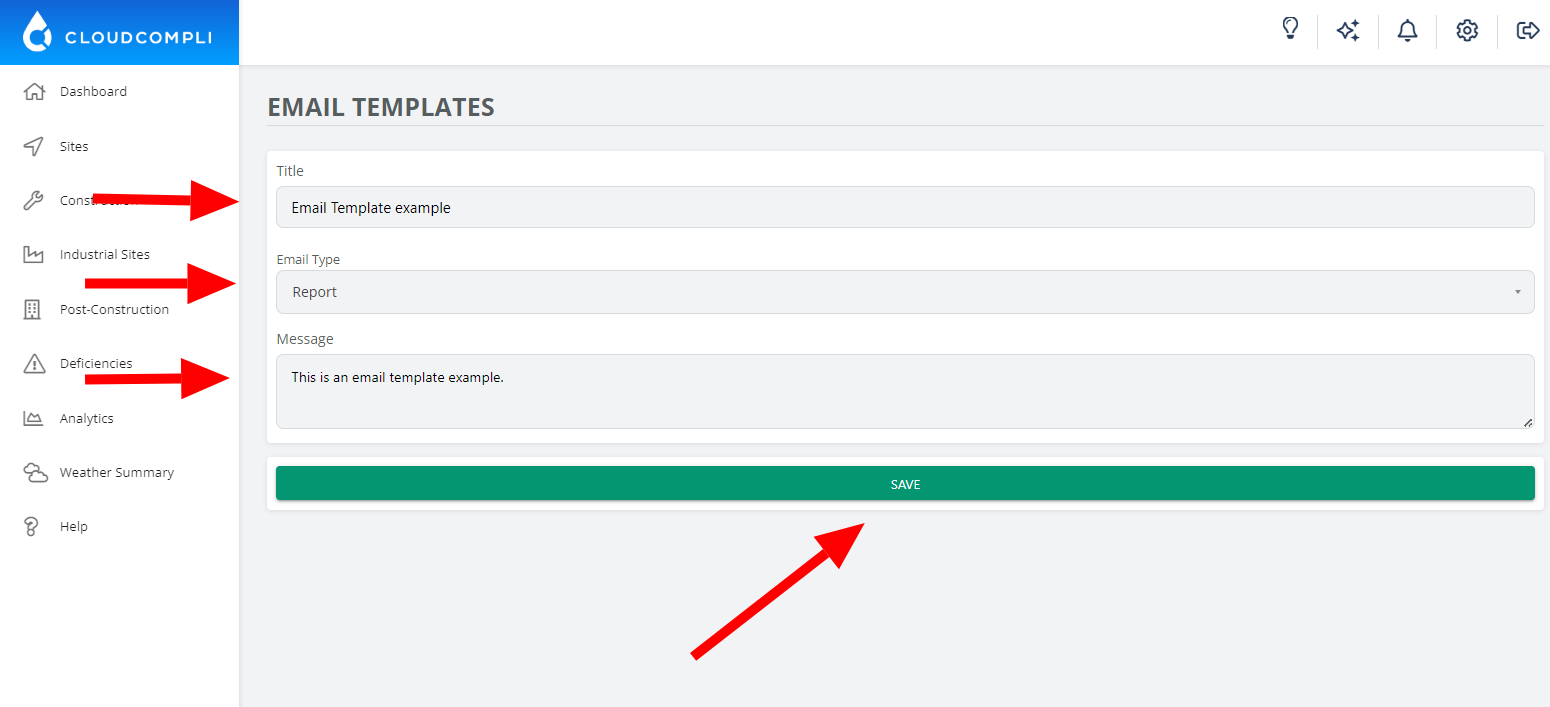
5. Enter a title for the template, specify an email type, and input the message you want to include in the template, then click Save.
Note: You can always edit or delete the templates in the "Custom Email Templates" section.