

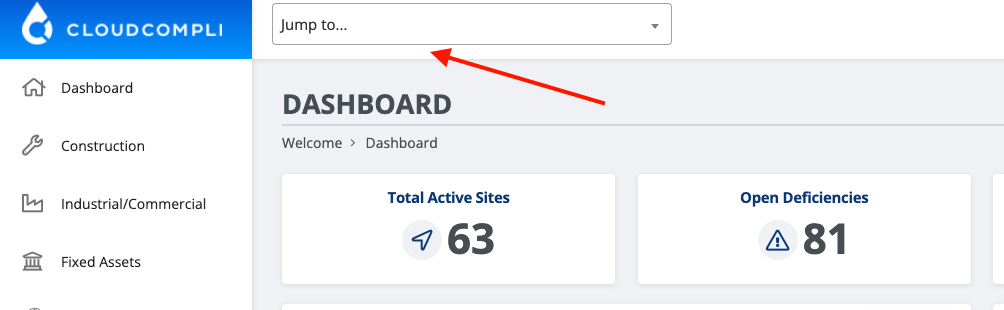
Find a site you want to see reports for. This can be done through the navigation panel or by looking up a site through the 'Jump to' search bar.
Select a Program from the Navigation Panel to locate a project
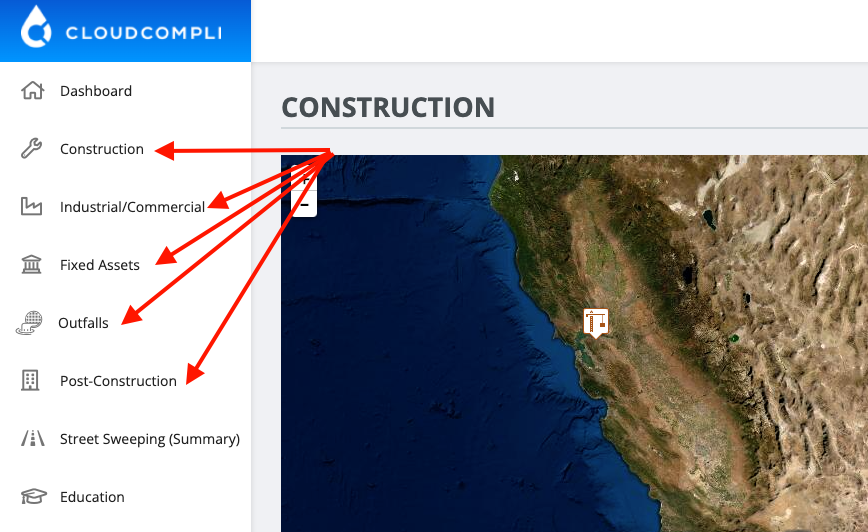
(Image above is a sample of a possible navigation panel on an account. Programs and options may vary per account basis).
"Jump to..." Search Bar:
Choose a site and from the Sites home page select "View All" from the Inspection tab under Recent Activity.
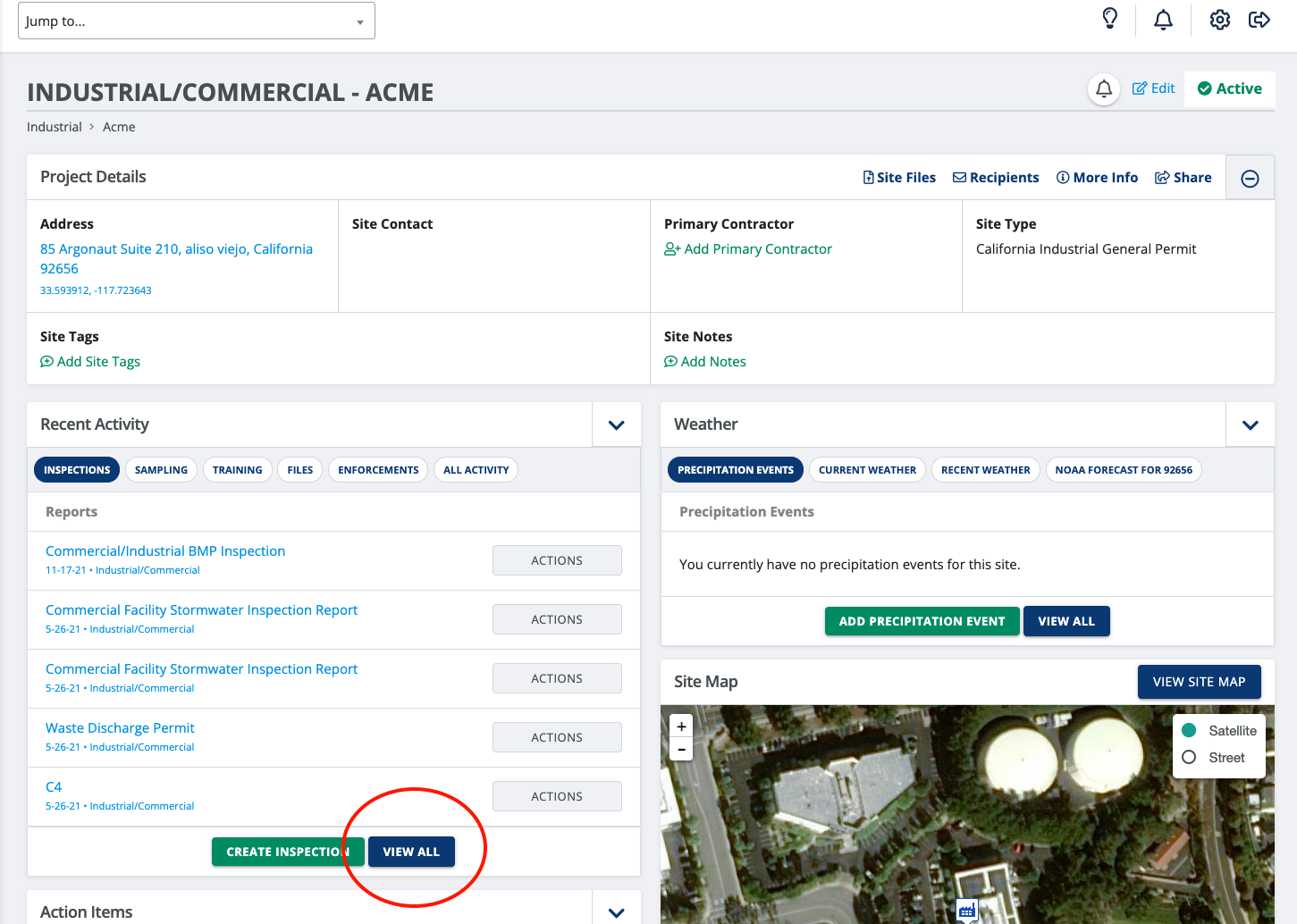
(Note that if you are a Global/Restricted View Only user, the Create Inspection option will not be available. )
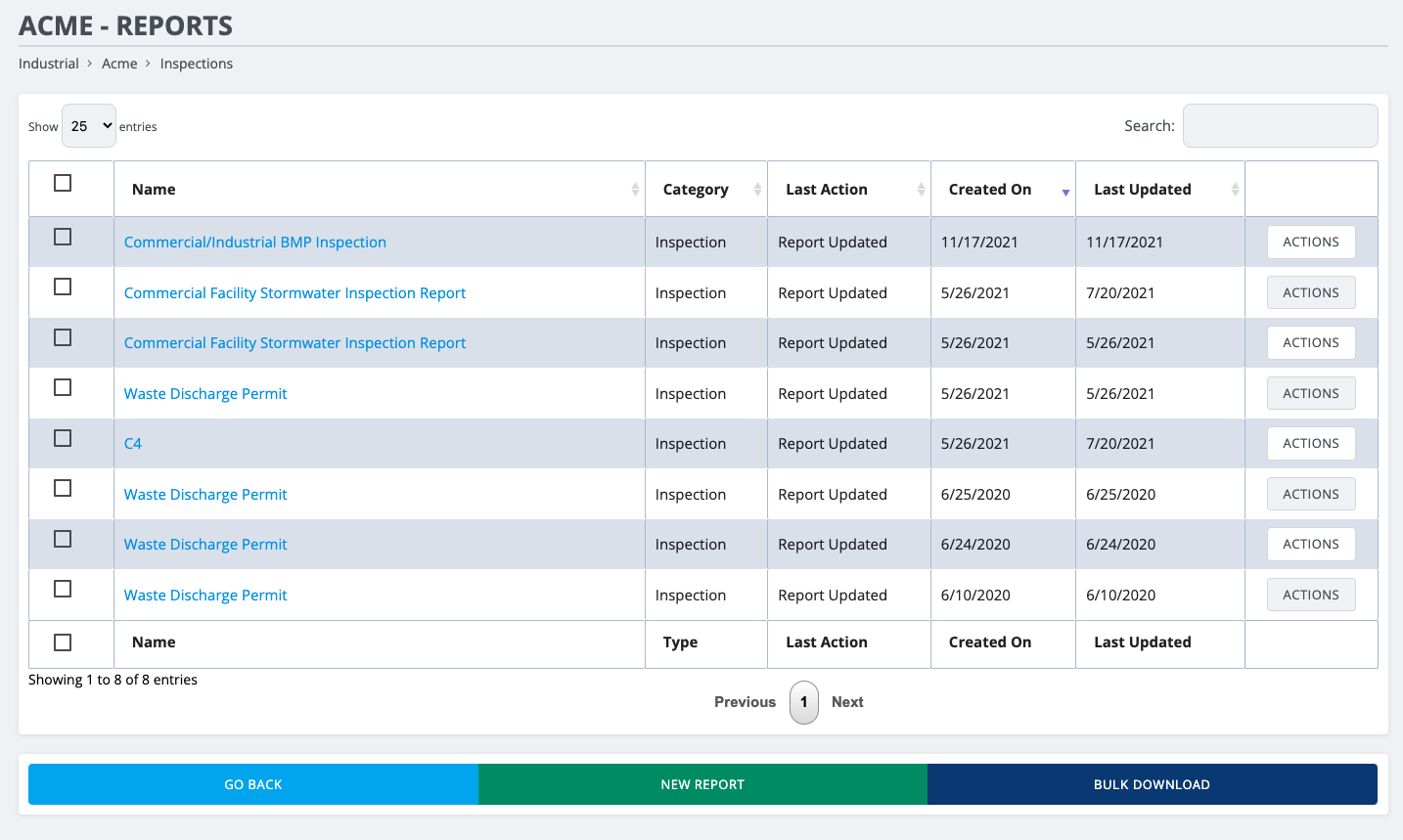
From the View Only page, all historical inspection reports will be available for download and email by using the "Actions" button on the right.
Note: some Action settings may not be available for certain types of users.
See our prebuilt "Reports by Period" analytics to go further with report search and custom filtering options.