
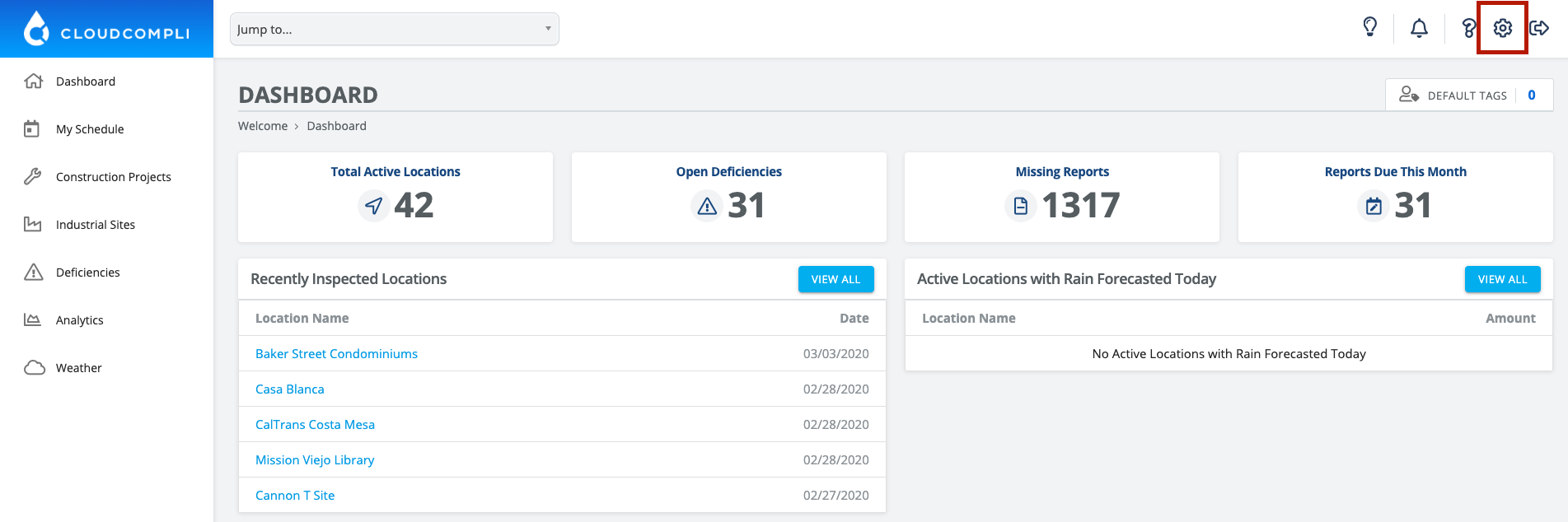
1. From the Dashboard, click on the Settings gear in the top right corner
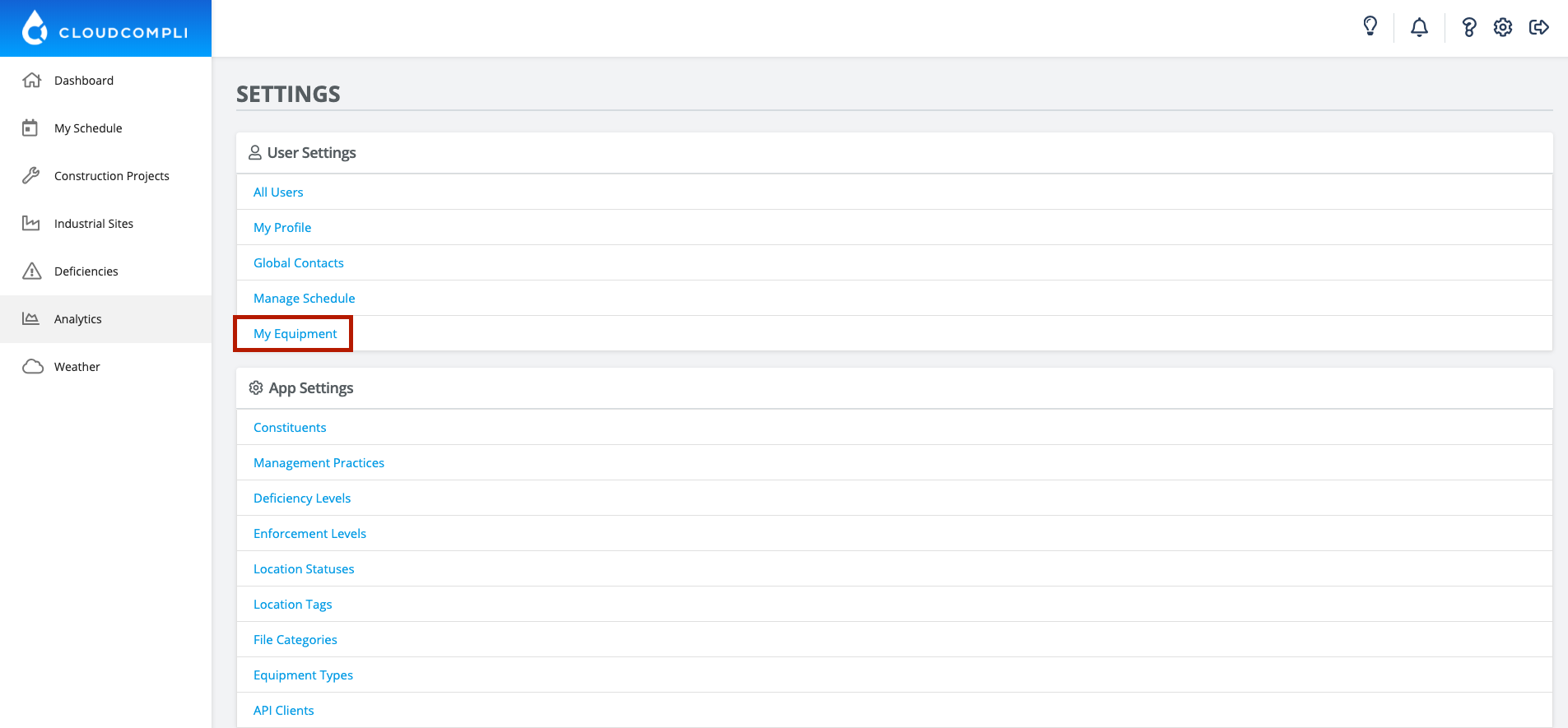
2. Click on My Equipment
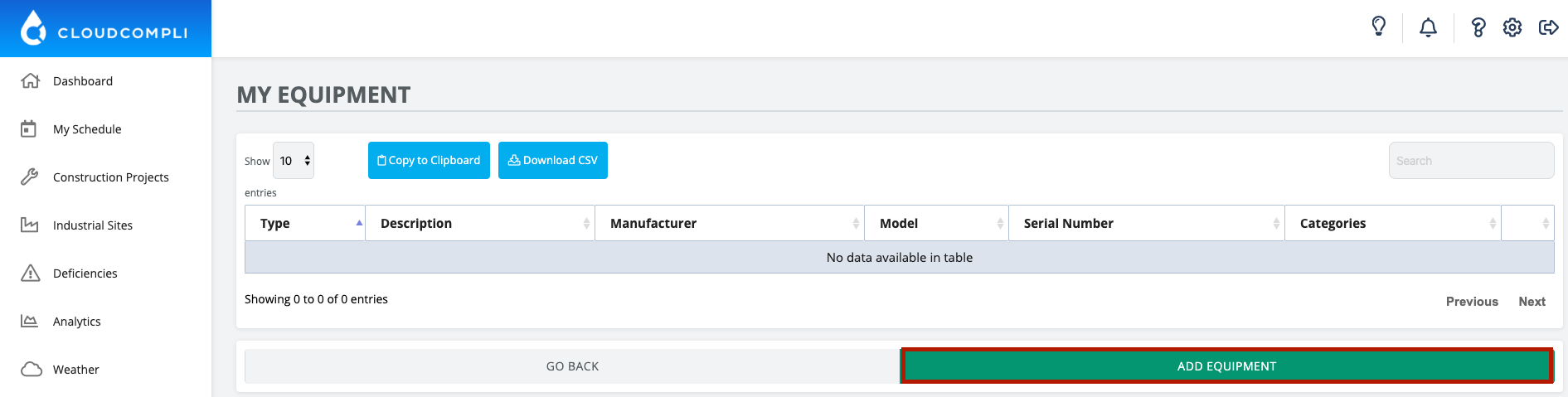
3. Click on Add Equipment
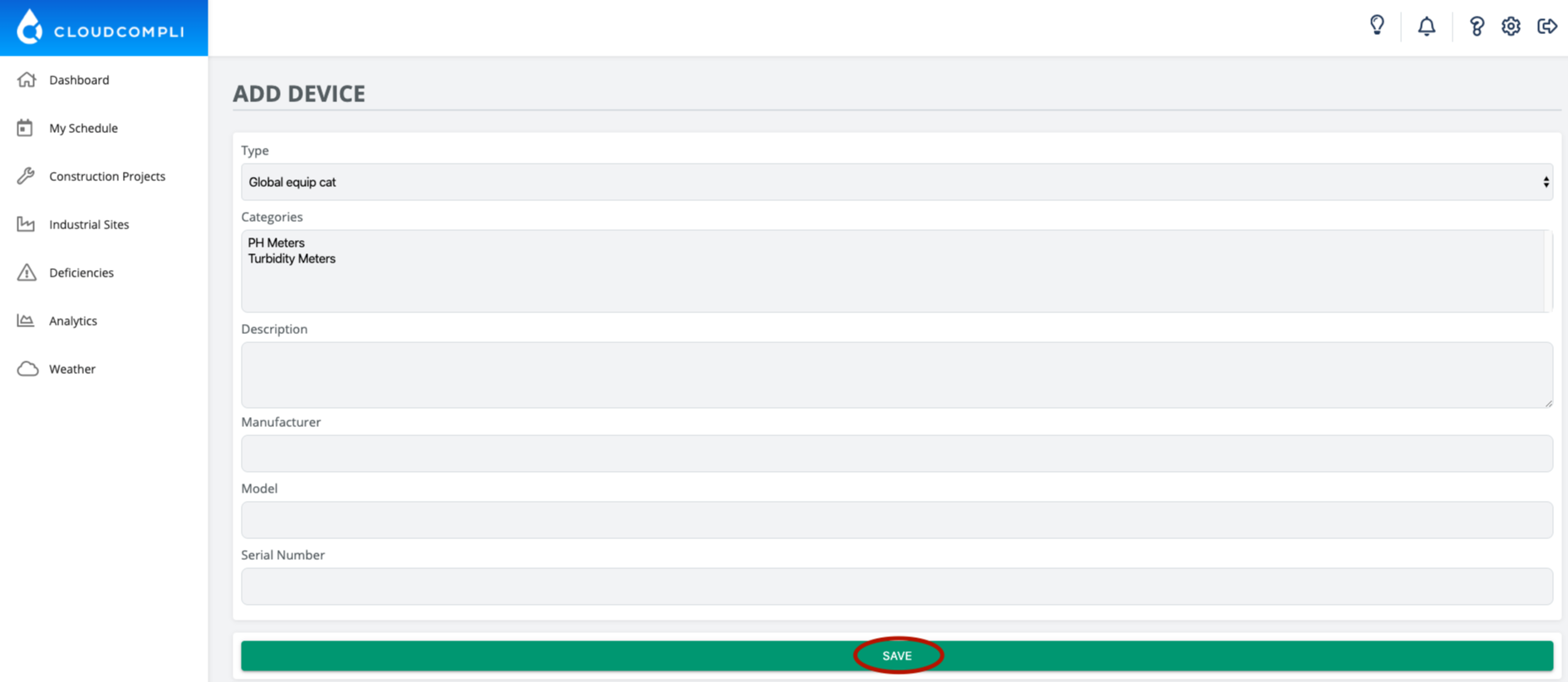
4. Enter your device information and press Save

How can we help you today?
Get help straight from our team...
User Personalization
Want to add your turbidity or PH meters? Here's how!
Last updated on 19 May, 2020
1. From the Dashboard, click on the Settings gear in the top right corner
2. Click on My Equipment
3. Click on Add Equipment
4. Enter your device information and press Save