
How can we help you today?

Get help straight from our team...

How to Customize Project/Site List

Site-based Programs

How to Customize Project/Site List

Since the launching of CloudCompli, we had this page defaulted to only show the data from columns like: Site Name, Address, Status, Site Contact information. Many customers requested we make this list customizable. You'll see there's now a plethora of options to choose from!

Last updated on 30 Aug, 2021


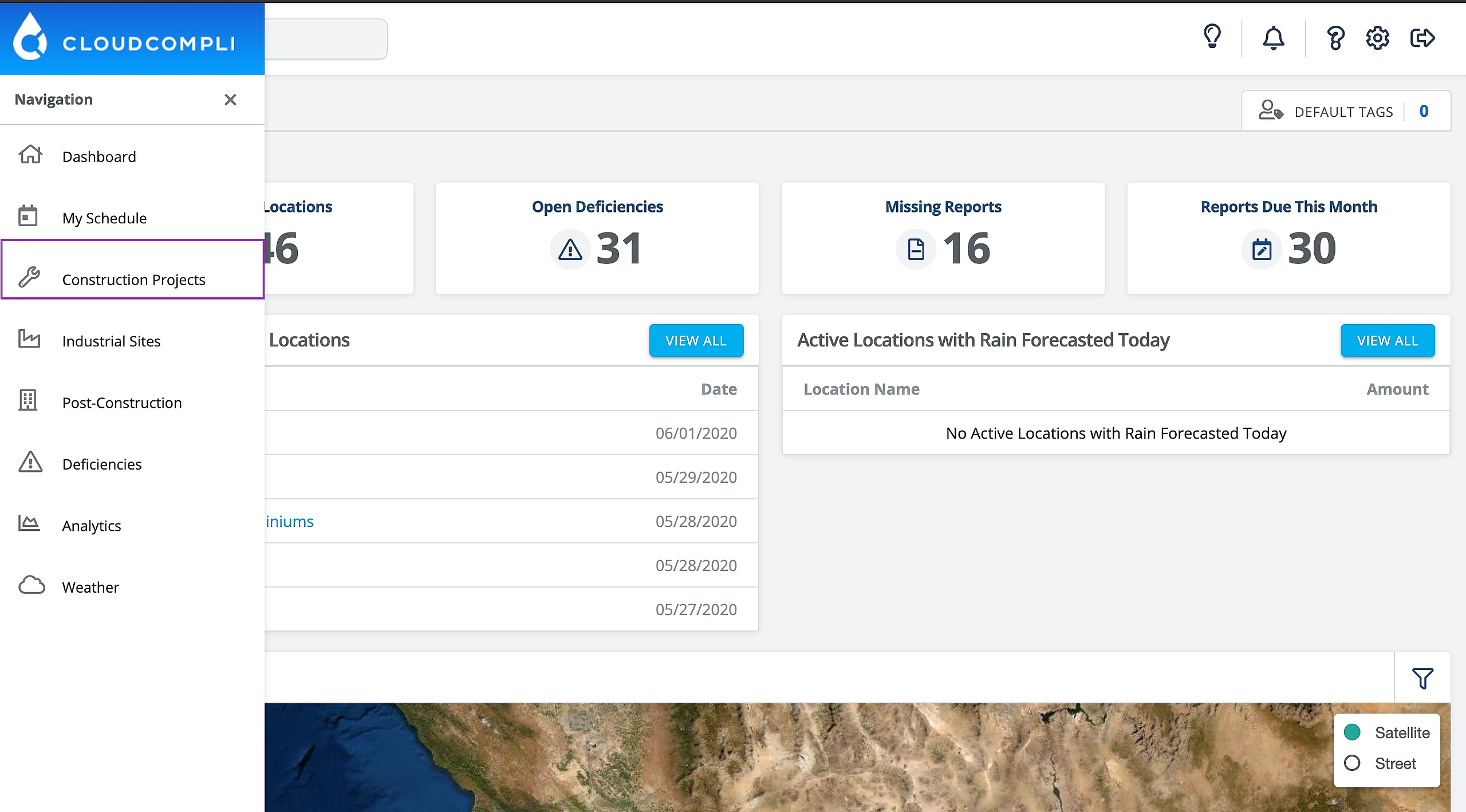
1. From the Dashboard, for this example we will select Construction Projects. However, you can do this on any "program" with projects/sites including Industrial and Post-Construction.
Image


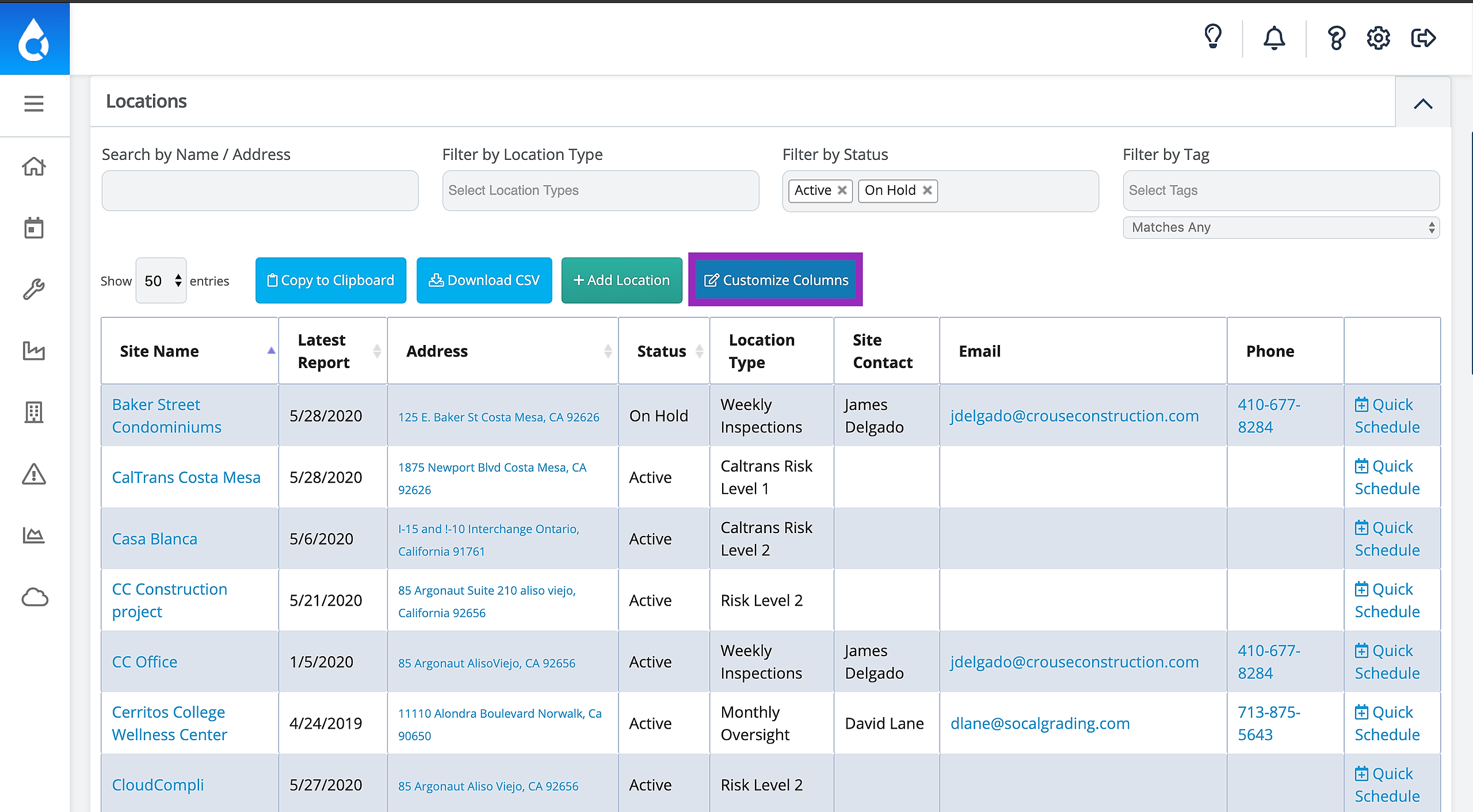
2. You will now see a familiar page, what we call the "Site List Table." This is really just the list of all of your projects/sites. Click Customize Columns.
Image


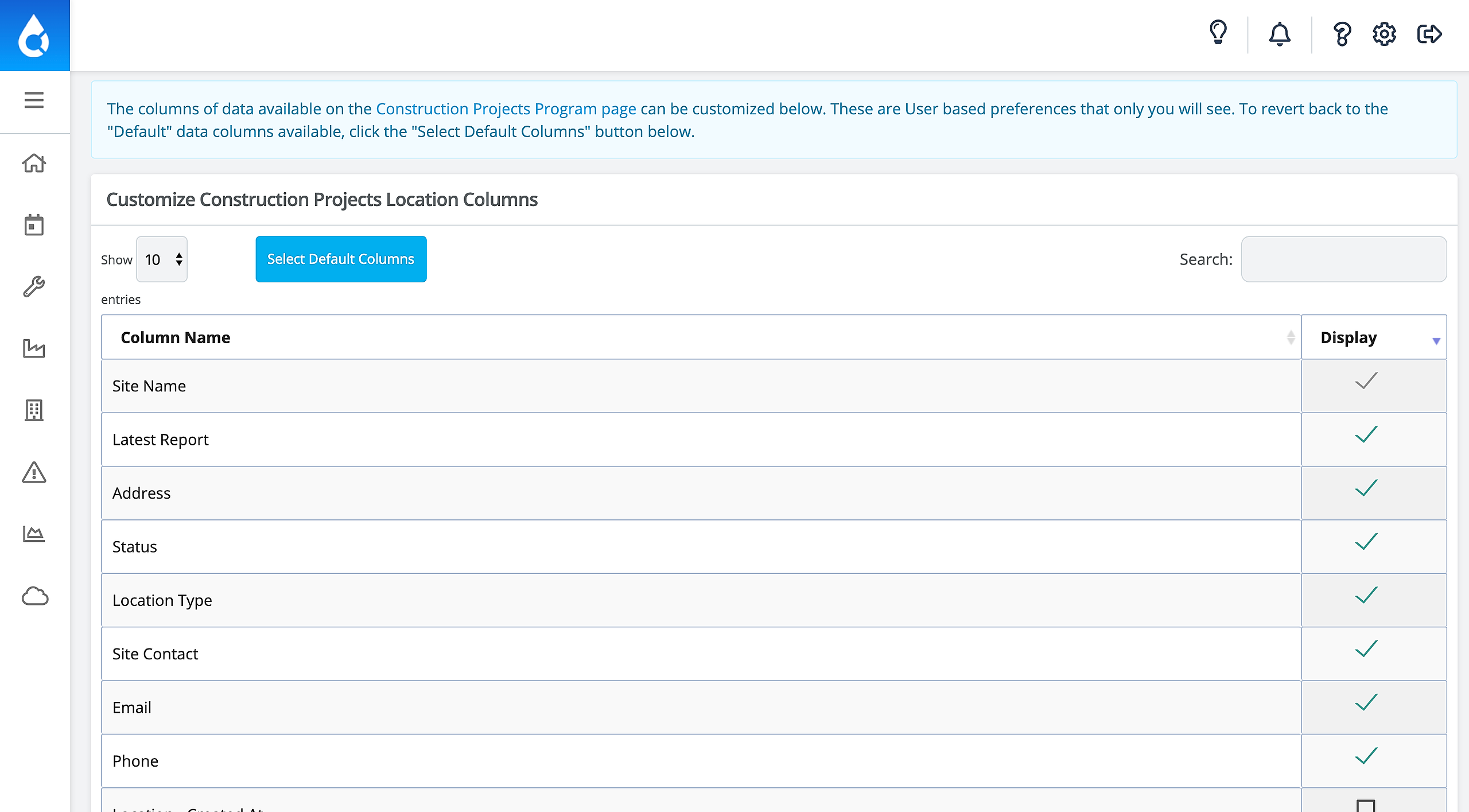
3. Now you will be directed to this page. You will see many pages of information you can filter by and you can de-select the defaulted information.
Image


Did you find this article helpful?
Previous

Site/Project Bulk Exporter 

Next