
How can we help you today?

Get help straight from our team...

Site-based Programs

Site/Project Bulk Exporter 

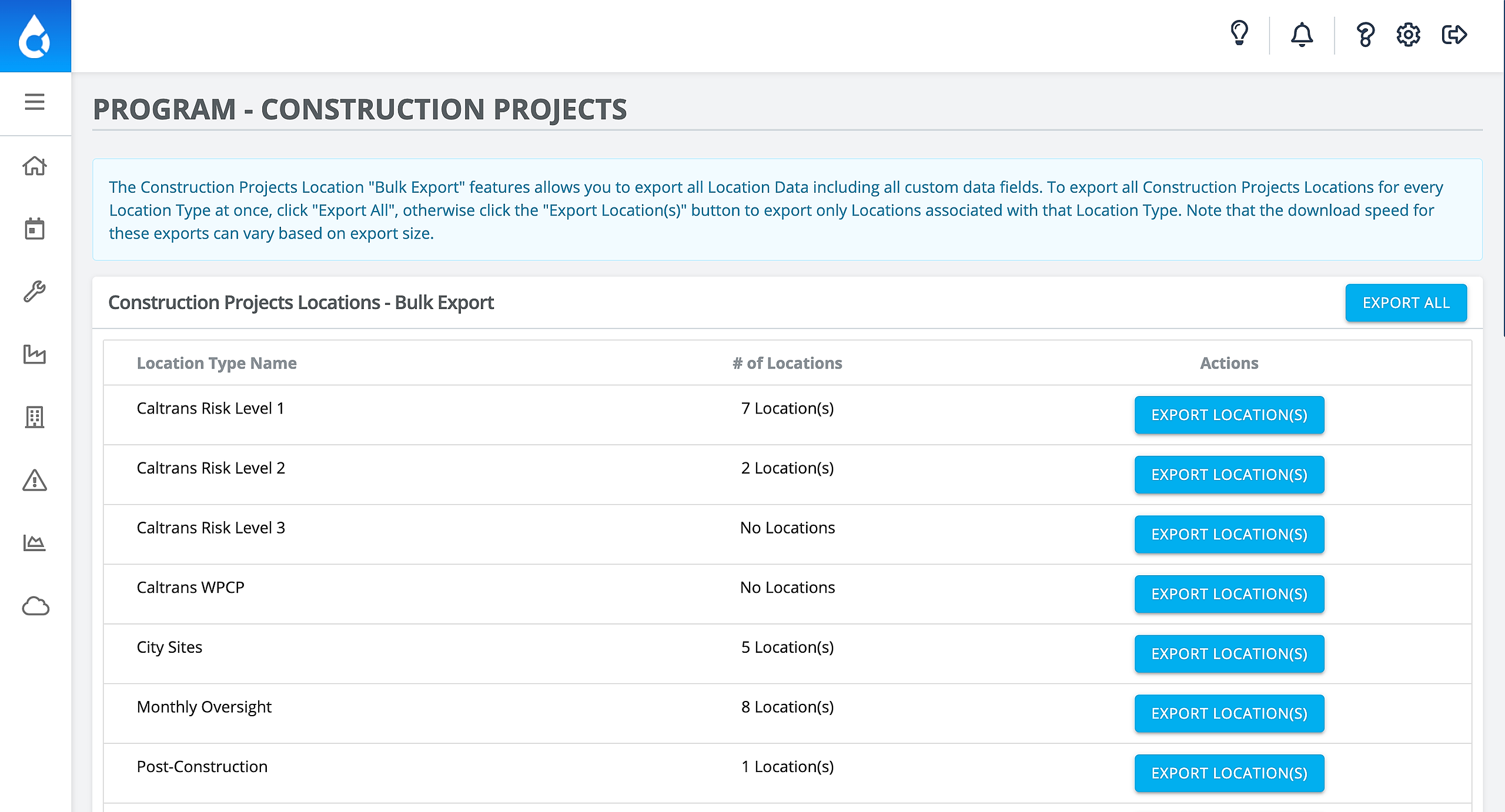
The Bulk Export feature allows you to export all project data by site type onto a CSV/Excel table. This would come in handy if you needed to see a table of all your Risk Level 1-3 projects. Note that depending on how many projects you are exporting, this could take a while!

Last updated on 30 Aug, 2021


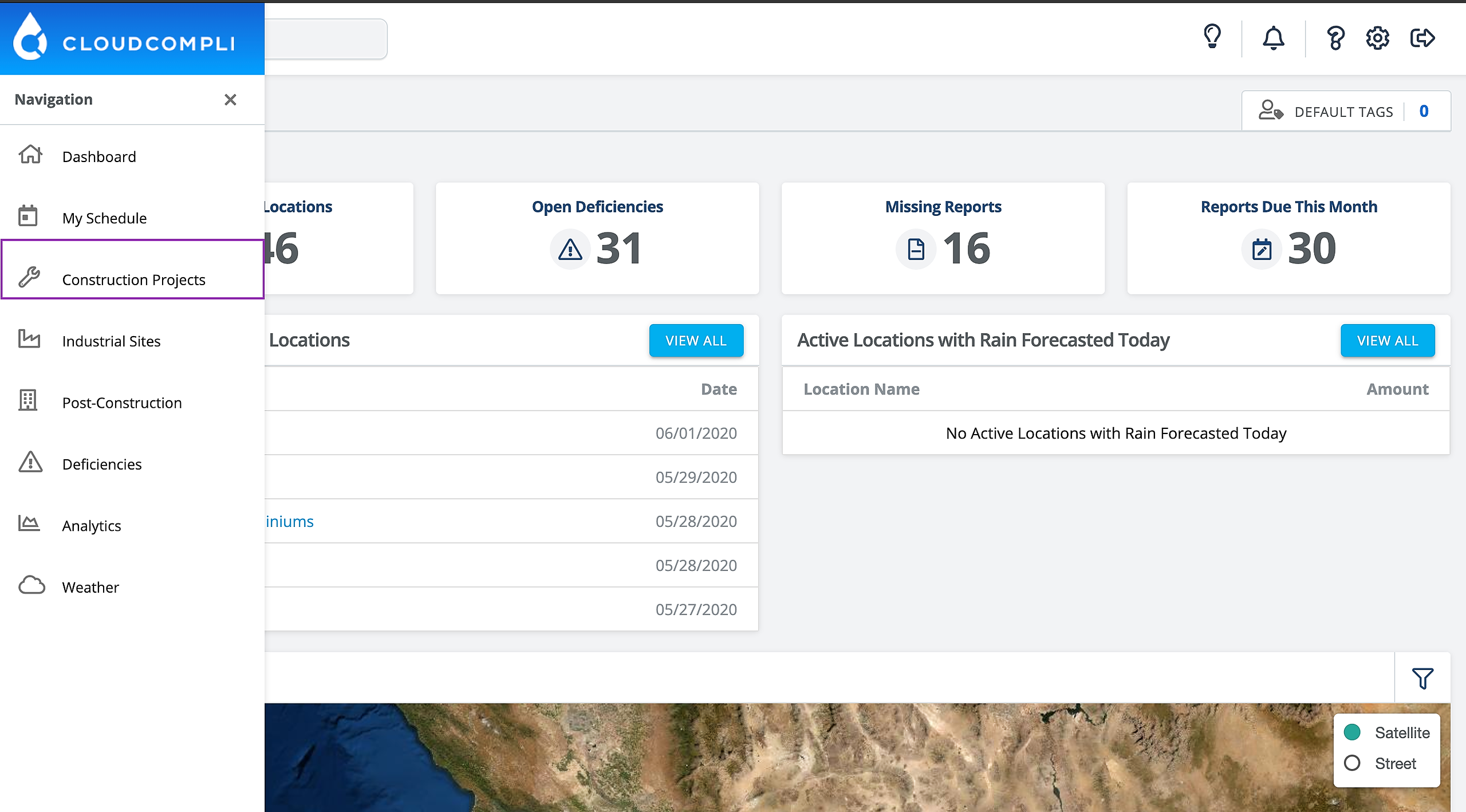
1. From the  Dashboard, click on Construction Projects in the left-hand panel
Image


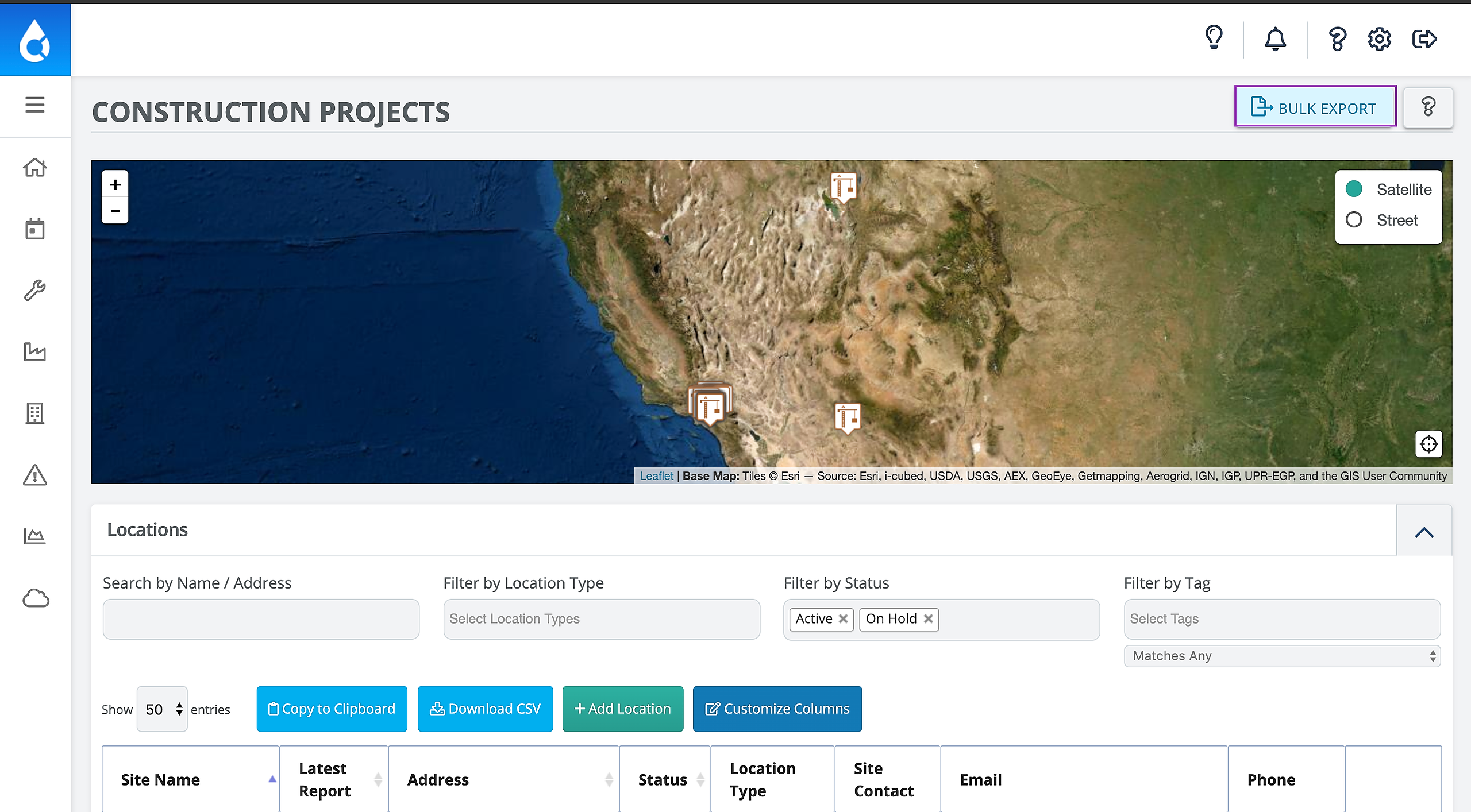
2. In the top right-hand corner, click or hover over Bulk Export
Image


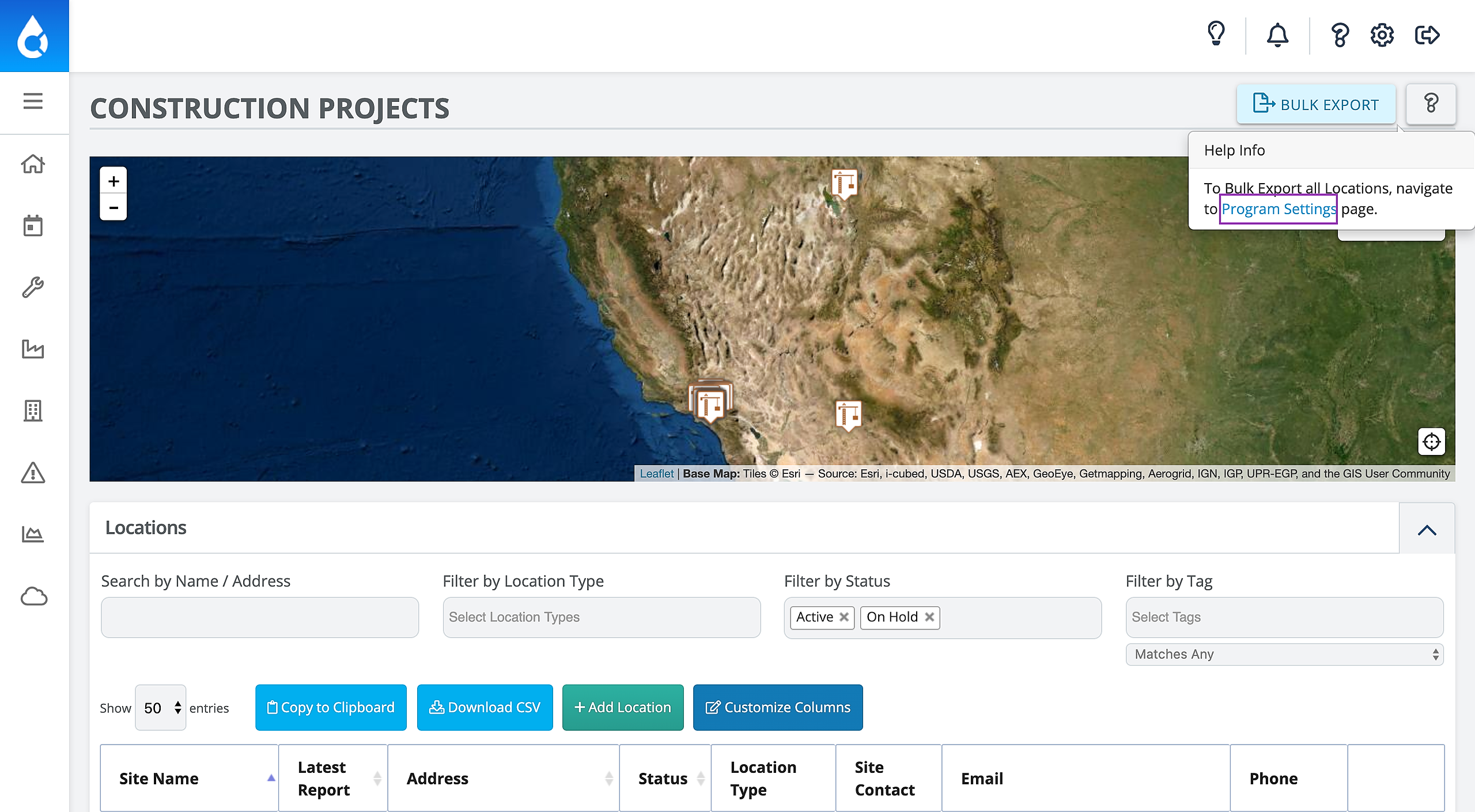
3. Then click Program Settings to navigate to the Settings page
Image


4. From this page, you can choose which site type you would like to export
Image
Did you find this article helpful?
Previous

Exporting Data from CloudCompli

Next