

There are various reasons why a recipient may not be receiving any emails when sending out reports.
Email may be in the recipient's Spam or another folder.
CloudCompli is blacklisted or flagged by the recipient's mail provider (the most common reason).
Incorrect email address.
CloudCompli domain issues.
To verify that an email was sent out properly by CloudCompli, check the email status within the project's main page.
Go to the project/site page, under Recent Activity > Reports Emailed
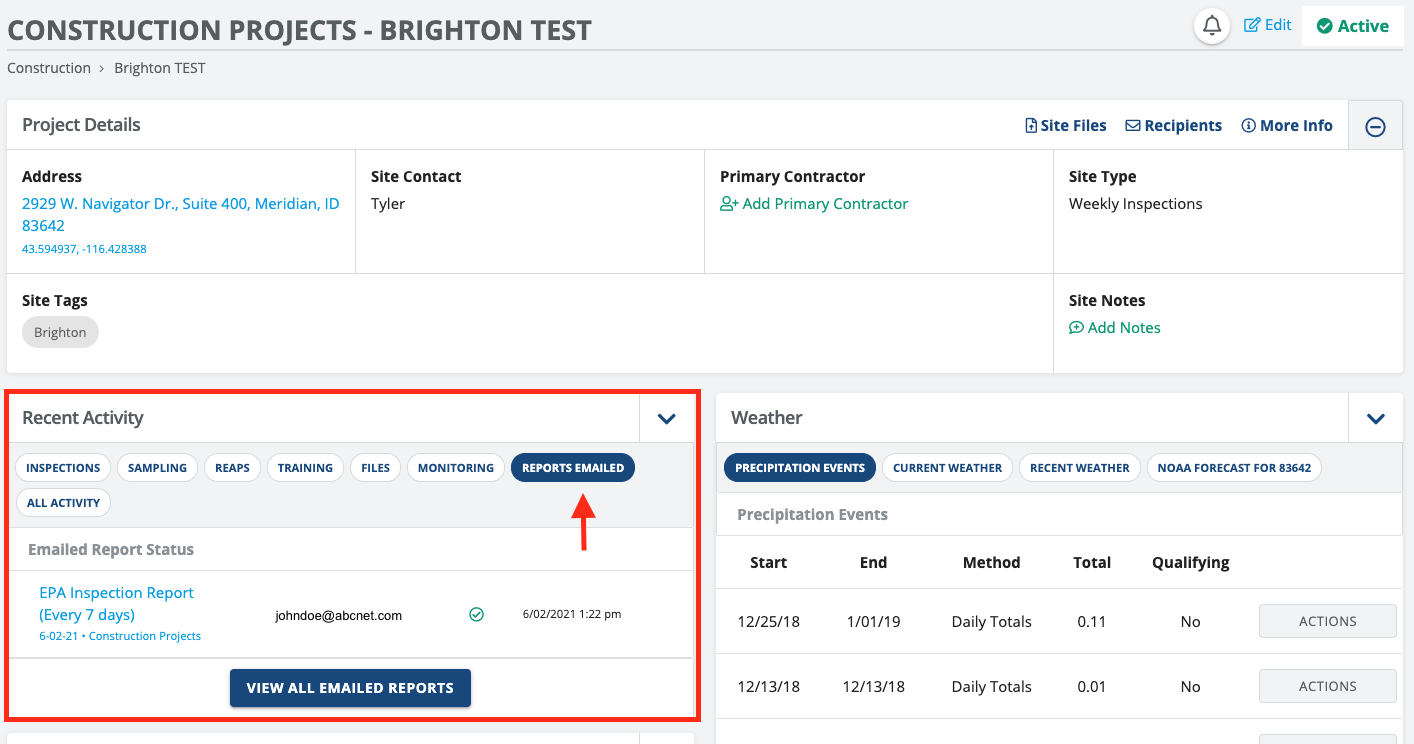
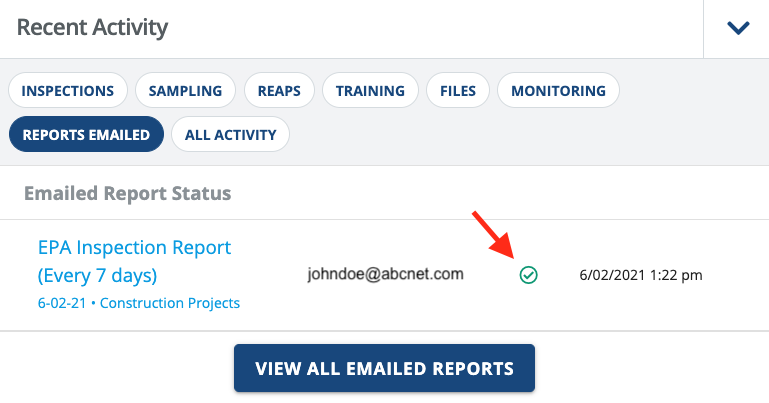
If there is a green checkmark next to the recipient's email, that means the email was sent out successfully by CloudCompli. Please reach out to the recipient and advise them to check their spam folder or contact their IT team to verify that CloudCompli is not blacklisted or flagged.
A yellow/orange exclamation mark signifies that there was an issue sending out the report/email by CloudCompli. The most common reason is:
Incorrect email address.
CloudCompli domain service issue (contact CloudCompli Support if you believe this is the issue).
If the issue persists, feel free to send us a support email with the recipient's email address to ensure there are no issues with our domain services.