

Instance/Account Key
The most common reason why a user cant log into their account is because they are not using the appropriate URL or Instance Key.
The account URL/Instance key looks something like this abc.compli.cloud. Where 'abc' is the company name or abbreviation. The account URL can be located in the original user invitation email or through cloudcompli.com > Login.
If the account does not exist or the email is not found, the user invitation email might have expired. Please contact your administrator or CloudCompli Support to request a new user invitation.
Please note that the user invitation email expires within 72 hours.
Forgot username and/or Password
To retrieve your username and/or password, select from one of the options on the login screen under: "Forgot your username or password"
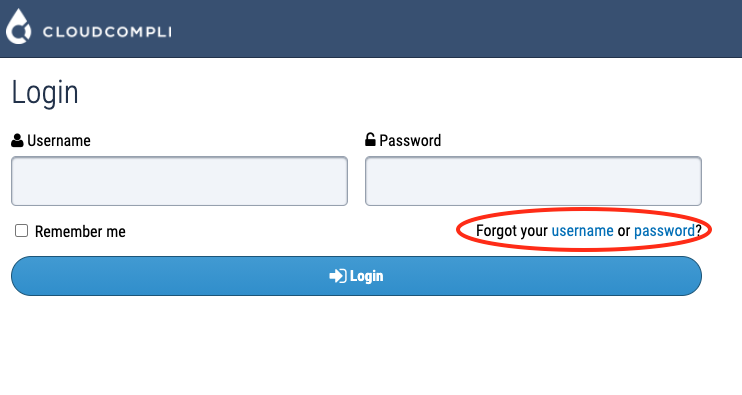
Provide the email that was used when the account was created. An email with instructions on how to reset or obtain your username will be sent out to your email inbox.
If the email does not exist, please contact your account administrator to help you obtain the correct email.