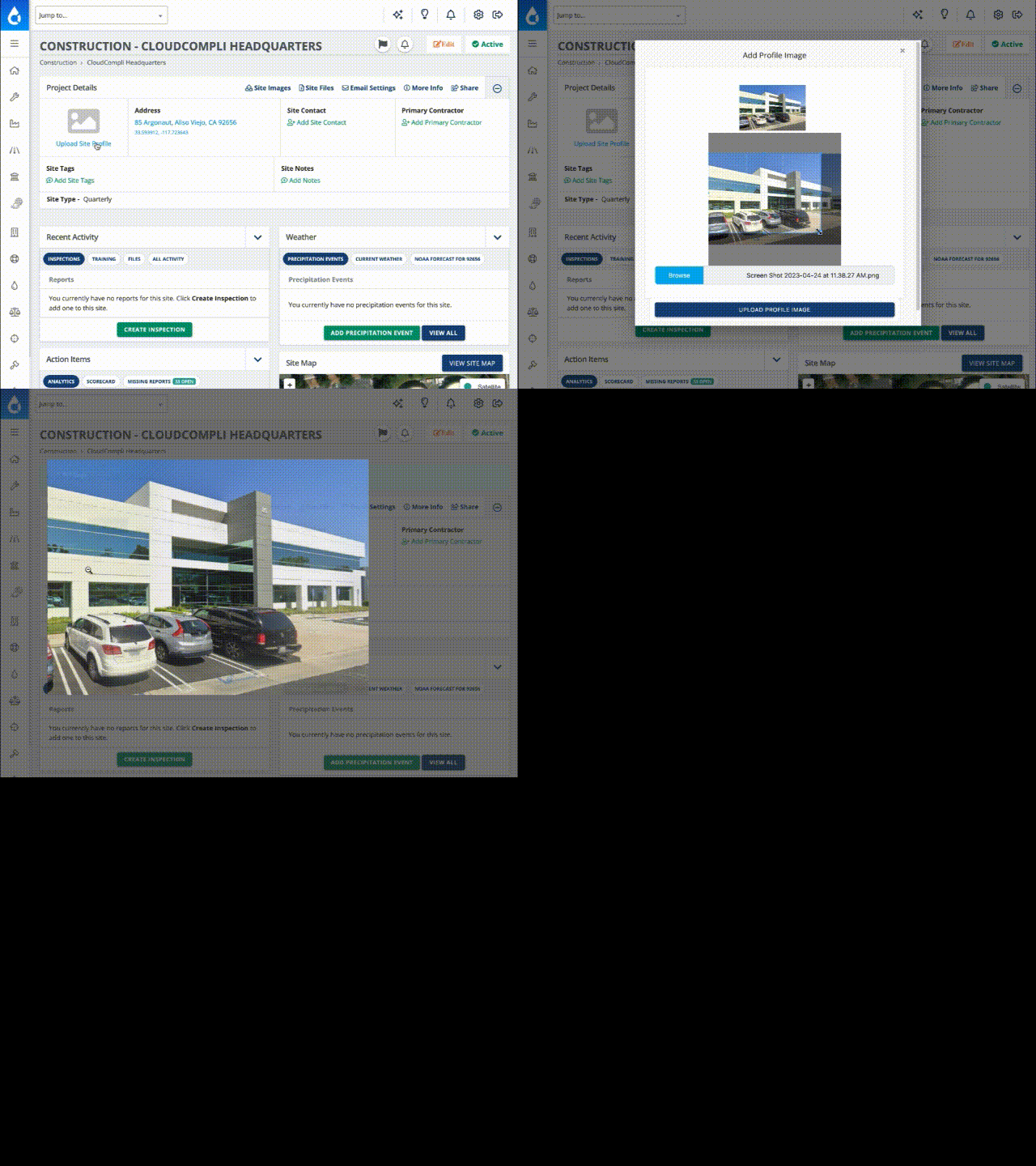
Add multiple photos to your site.
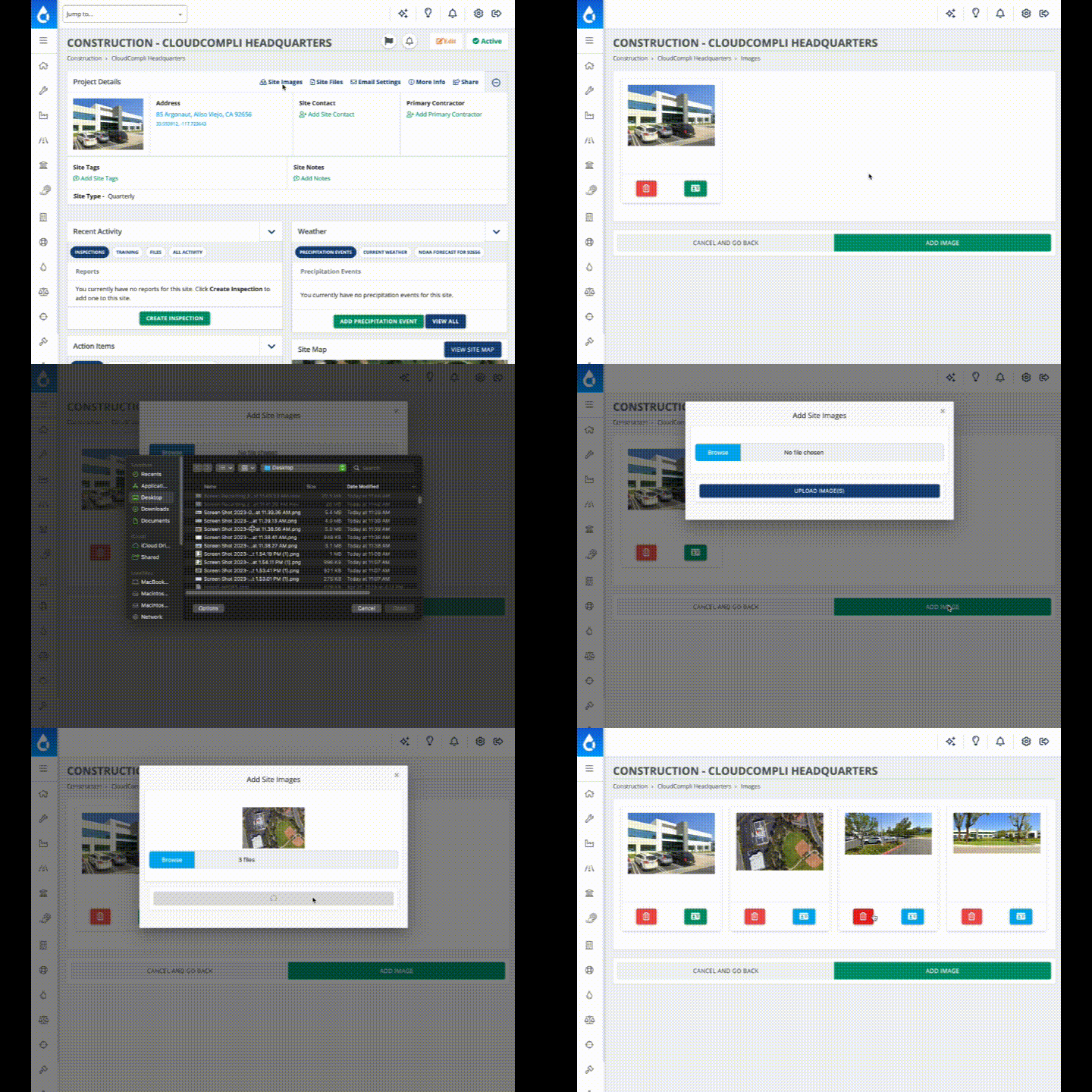
Want to add more photos to your project and store them in the cloud? Select "Site Images" from the Project Details page and then select "Upload Image(s)" or "Manage Images".
You can add one or more images per upload.
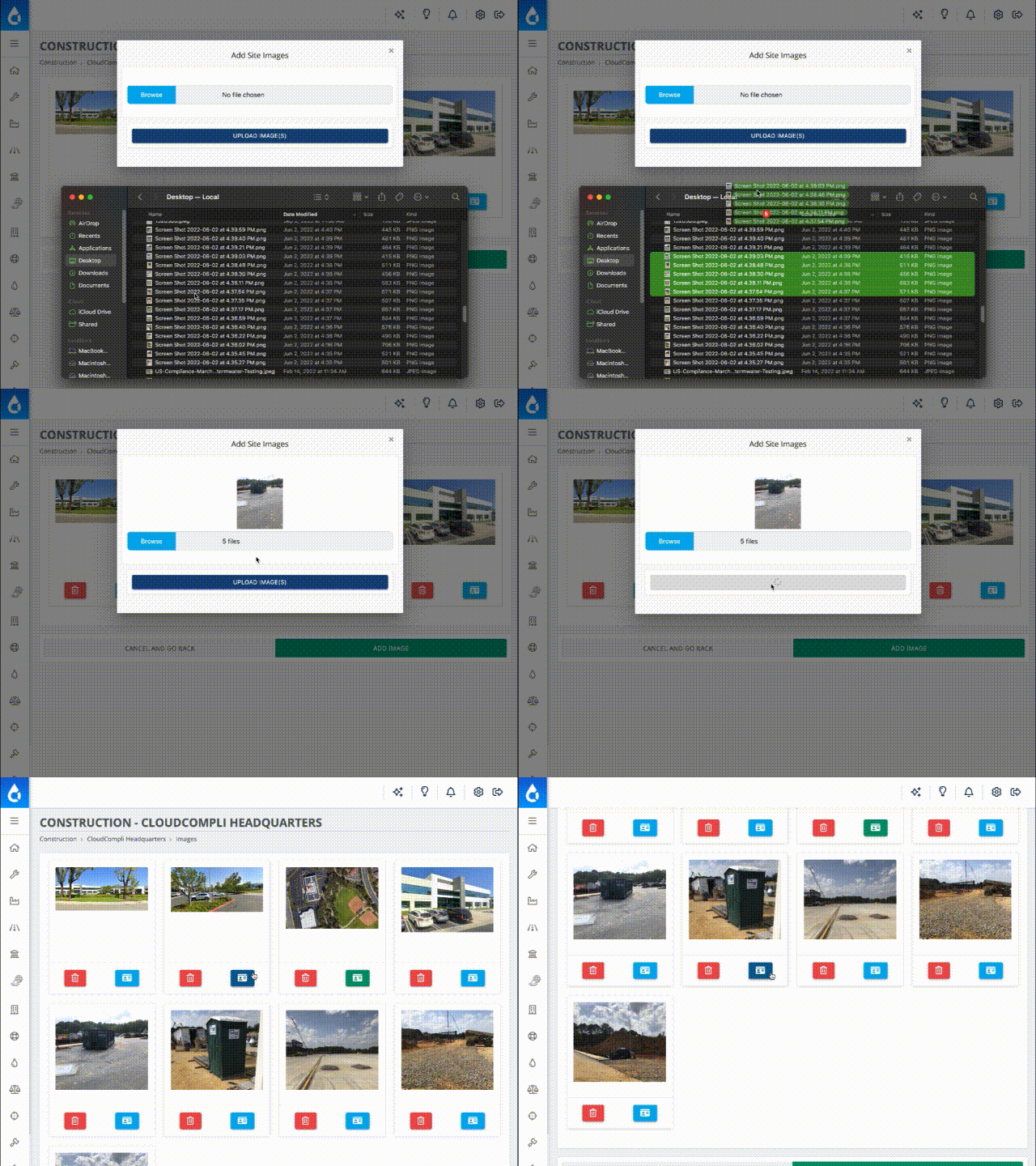
Drag & Drop Images to Upload!
Change the Site Profile Image from the image library.
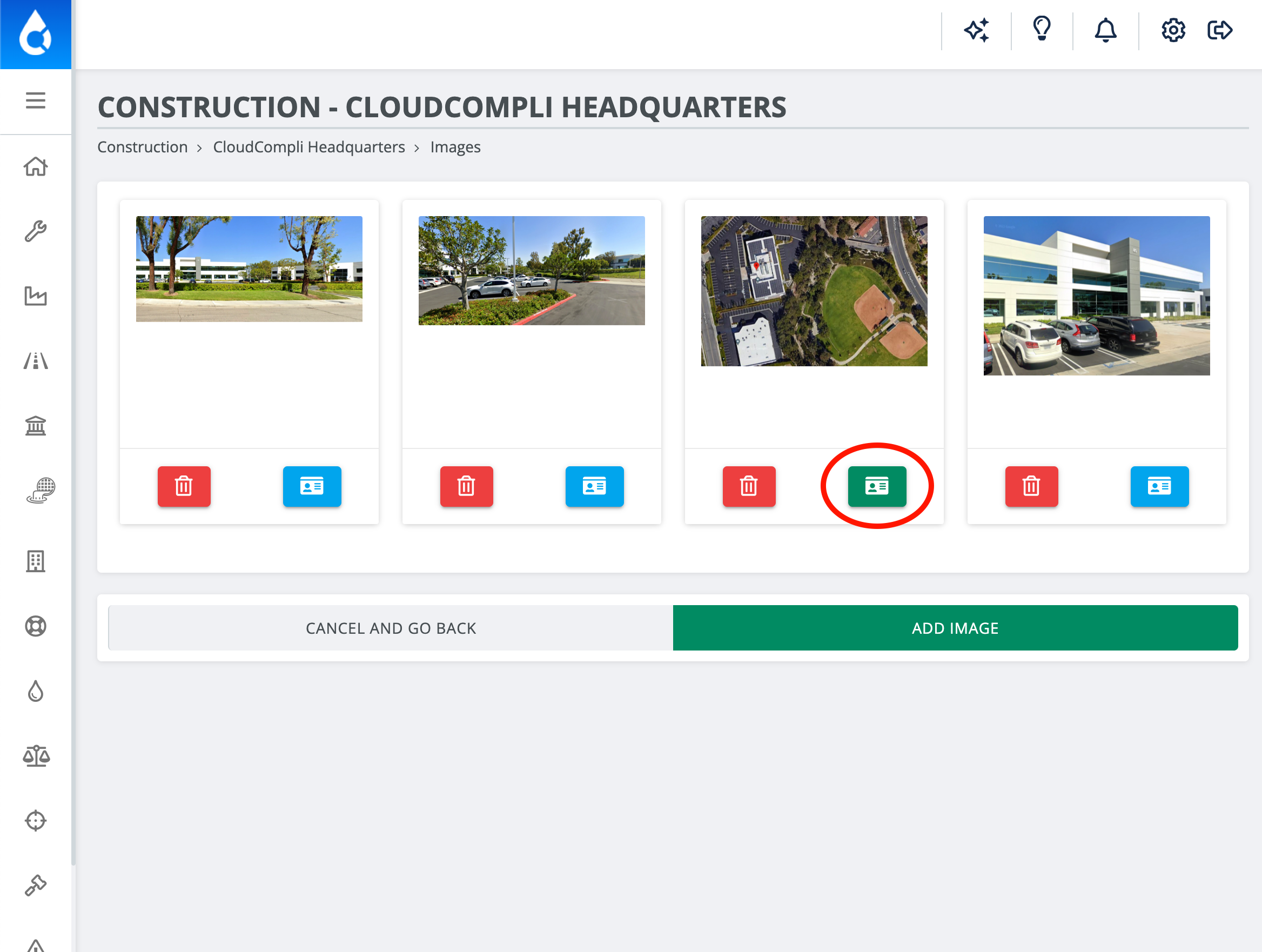
In "Manage Images" select the blue profile icon to change or choose a new Site Profile Image. A green profile icon will indicate the current profile image.